
Layer as many sounds as you need
Play background music, fireplace ambience, rain, and occasional effects together inside one scene.
Turn a YouTube link or direct audio file into a layered soundtrack. Mix music, ambience, voices, and effects—then play them for everyone at your table.
 First step for every player
Browsers wait for a real user click before allowing sound. Every person in the room should press Enable audio once after joining.
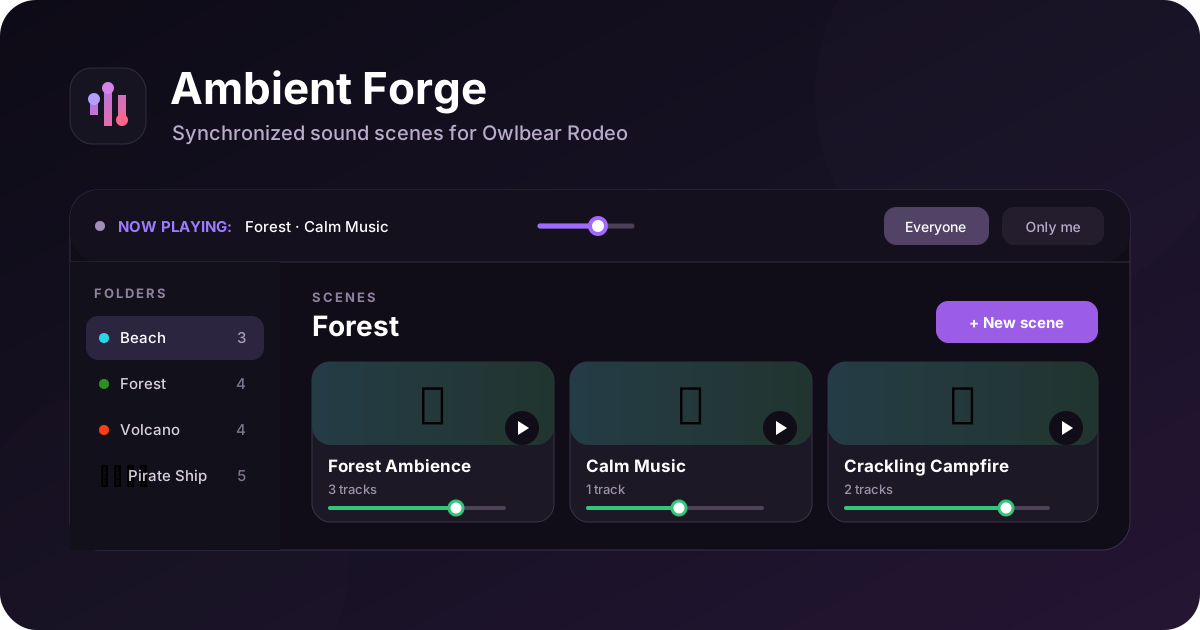
Ambient Forge turns reusable groups of tracks into one-click scenes for taverns, battles, storms, rituals, and everything between.
Play background music, fireplace ambience, rain, and occasional effects together inside one scene.
Balance the master output, each scene, and every individual track without rebuilding your mix.
Synchronize a scene with the room, or prepare and preview it privately before the players hear it.
Pause and resume playback from the same point, or stop everything when the moment is over.
Give folders and scenes their own emoji and color so the right atmosphere is easy to spot.
Export the complete library to an .aforge file and import it again on another browser or device.
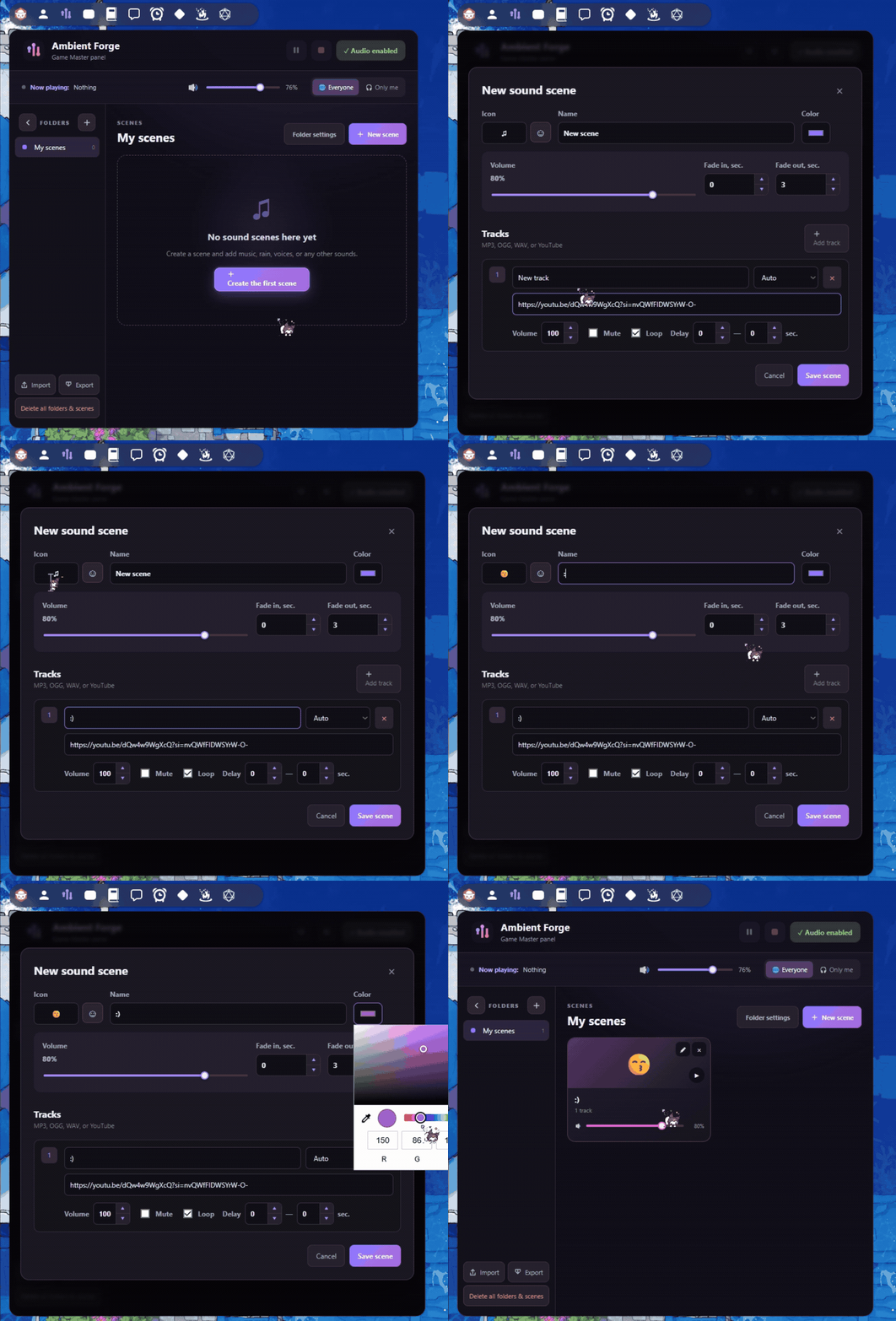
Create a scene, name it, choose an emoji, and pick a color that matches the mood. The same visual system works across folders and scenes, so a large library stays easy to scan.
Combine music with ambience, voices, or effects in the same scene. Every track keeps its own source, name, volume, mute state, loop, and delay settings.
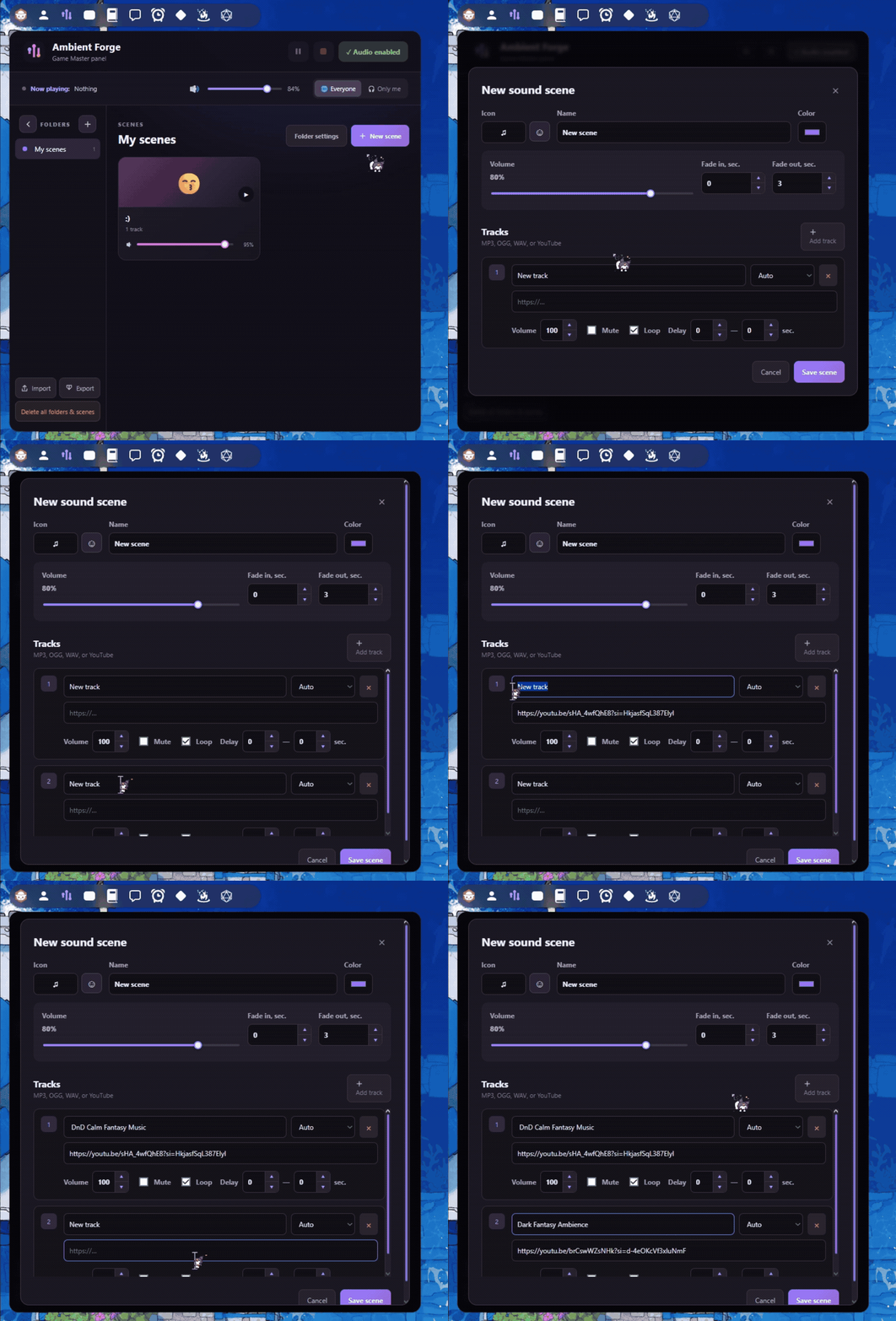
Use simple controls for a clean loop or build a more natural, less predictable soundscape.
Repeat music or ambience continuously until you pause or stop the scene.
Set a minimum and maximum delay so effects return at changing intervals instead of sounding mechanical.
Bring the whole scene in gradually when you start it.
Let the scene end smoothly instead of cutting the atmosphere abruptly.
Temporarily silence one track while preserving its URL and settings.
Return to the same playback position when the game needs a short break.
Use YouTube for the fastest setup, or point Ambient Forge directly to browser-playable audio files.
Paste a regular YouTube or youtu.be link into a track. Auto detection recognizes it for you.
Use a public direct URL to an audio file. The host must allow your browser to load and play it.
Restore Ambient Forge backups and import compatible Djinni music-player libraries.
Every listener presses the button once after joining the Owlbear Rodeo room.
Name the scene, select an emoji and color, then set scene volume and fades.
Add music, ambience, and effects with individual volume, loop, mute, and delay.
Use Everyone for synchronized room playback or Only me for a private preview.
Scenes are saved automatically in the current browser. Export a portable backup before changing devices, and import it whenever you need the library again.
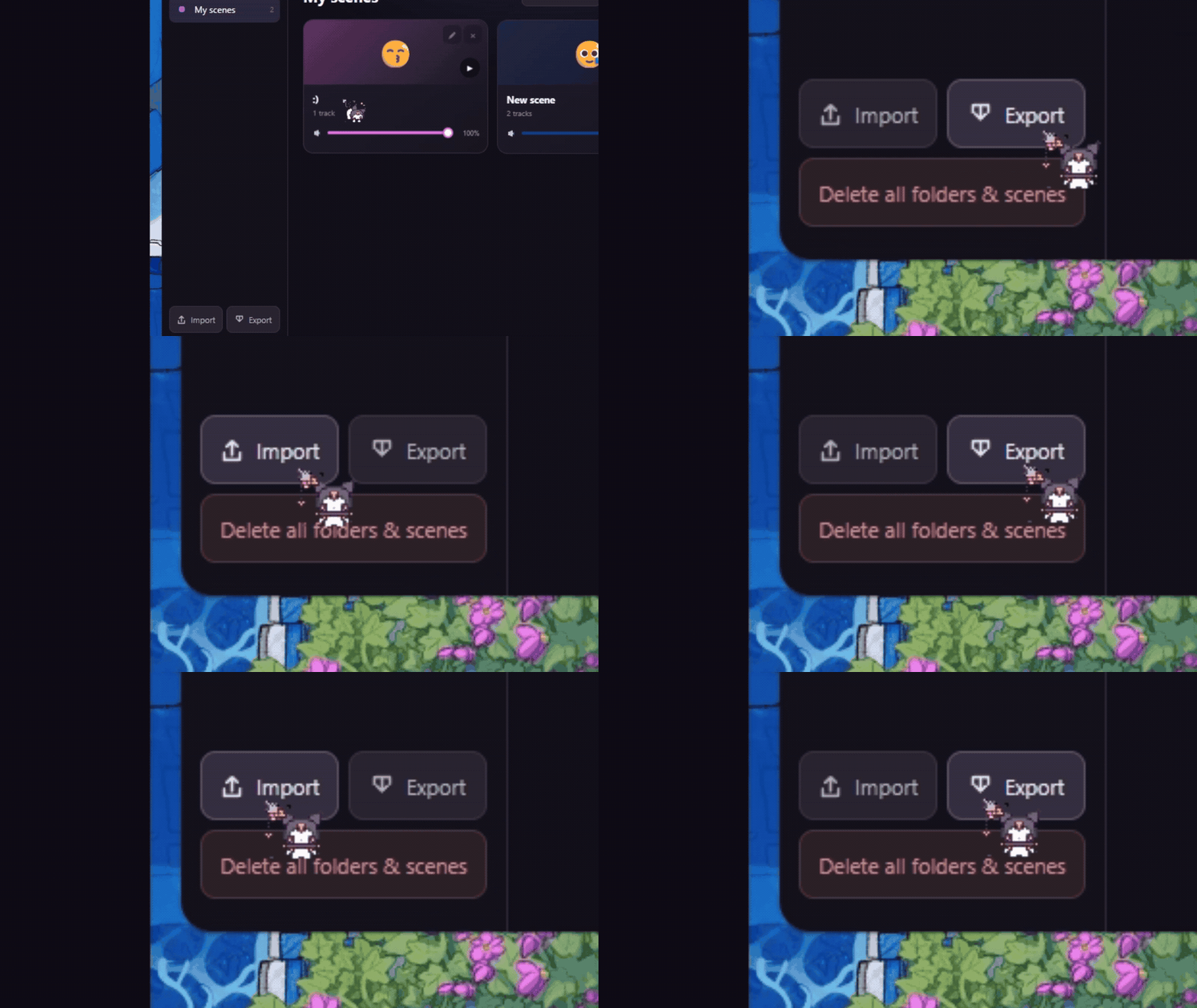
Use Export to create a portable .aforge backup before clearing browser data or changing devices.
Use Import to restore a backup or convert a compatible .djinni, .json, or .txt collection into folders and scenes.
Yes. Ambient Forge keeps playback running while the popover is closed, so it does not need to occupy your screen during play.
Yes. The game master controls the mix, while each player can adjust the master listening level on their own device.
They are saved automatically in that browser. Export an .aforge backup if you plan to clear browser data, switch browsers, or move to another device.
Yes. Select Only me to test privately, then switch to Everyone when you are ready for the table.
In your Owlbear Rodeo profile, choose Add Extension and paste the manifest URL below. Ambient Forge is free to use while its official Extension Store submission is under review.
We are a small team that loves playing on Owlbear Rodeo and creating useful extensions for the community. If Ambient Forge helps your games, you can support our next update on Ko-fi.